> ## Documentation Index
> Fetch the complete documentation index at: https://docs.meoo.com/llms.txt
> Use this file to discover all available pages before exploring further.

# 多人协作共同修改

# 功能概述

✨秒悟Meoo生成的项目支持多人在线协作编辑，可邀请多位协作者共同参与项目，实时查看并同步修改项目内容，提升团队协作效率，实现内容共创、实时同步与版本统一，减少沟通与重复修改成本，快速落地项目。

# 功能操作指南

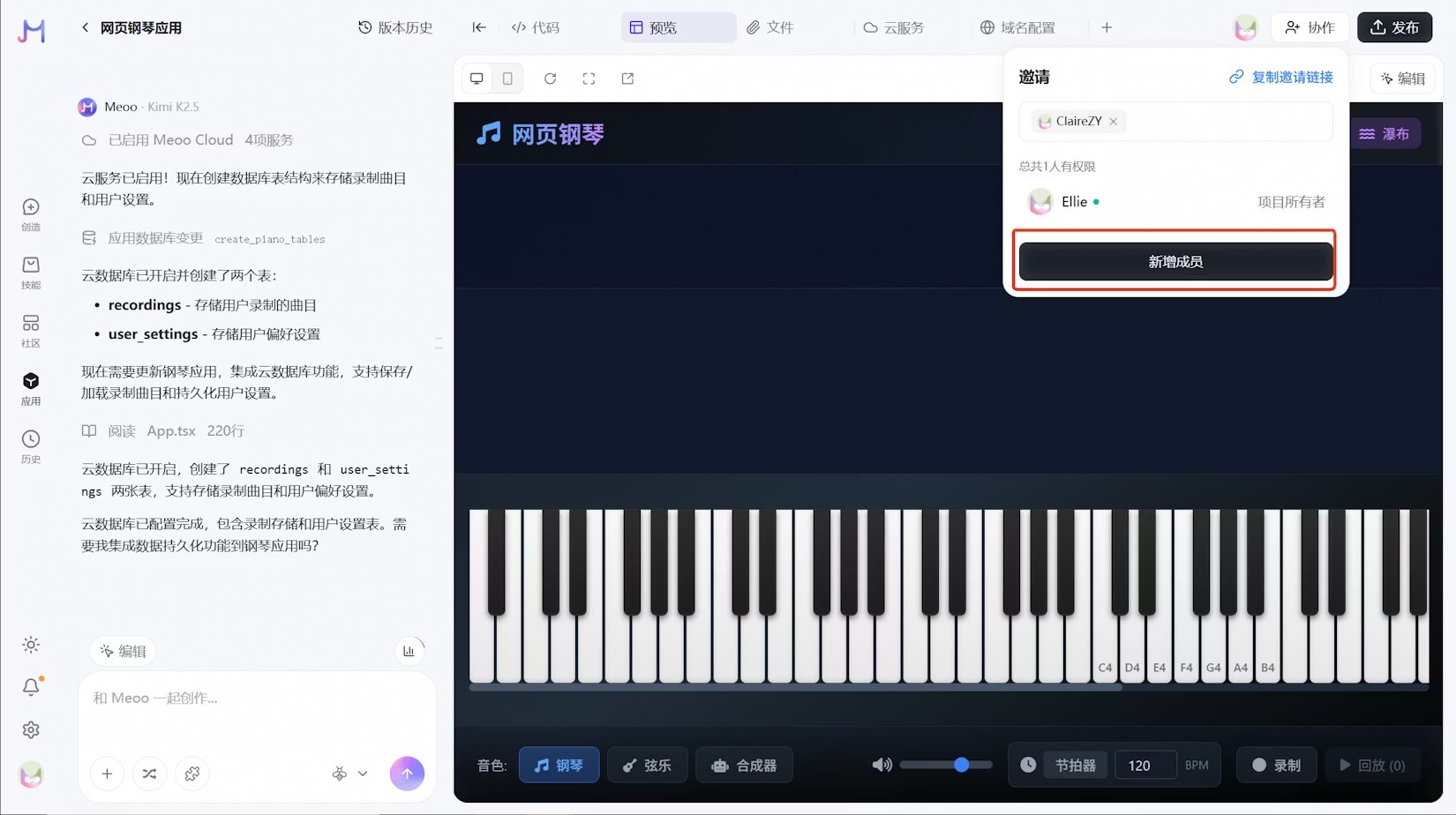
1. 在项目中点击 **协作**，输入昵称搜索期望添加的协作者。
   <Frame>
     <img src="https://mintcdn.com/alibaba-b47c397f/gtdh1P8HyRzTFXYK/images/757ff38fd7ef11d60d043ea4c1095c6f.png?fit=max&auto=format&n=gtdh1P8HyRzTFXYK&q=85&s=b2a17504ba5691127984f73594908eb7" alt="757ff38fd7ef11d60d043ea4c1095c6f" width="1650" height="924" data-path="images/757ff38fd7ef11d60d043ea4c1095c6f.png" />
   </Frame>
   <Note>
     也可 **复制邀请链接** 发给想要邀请的协作者
   </Note>
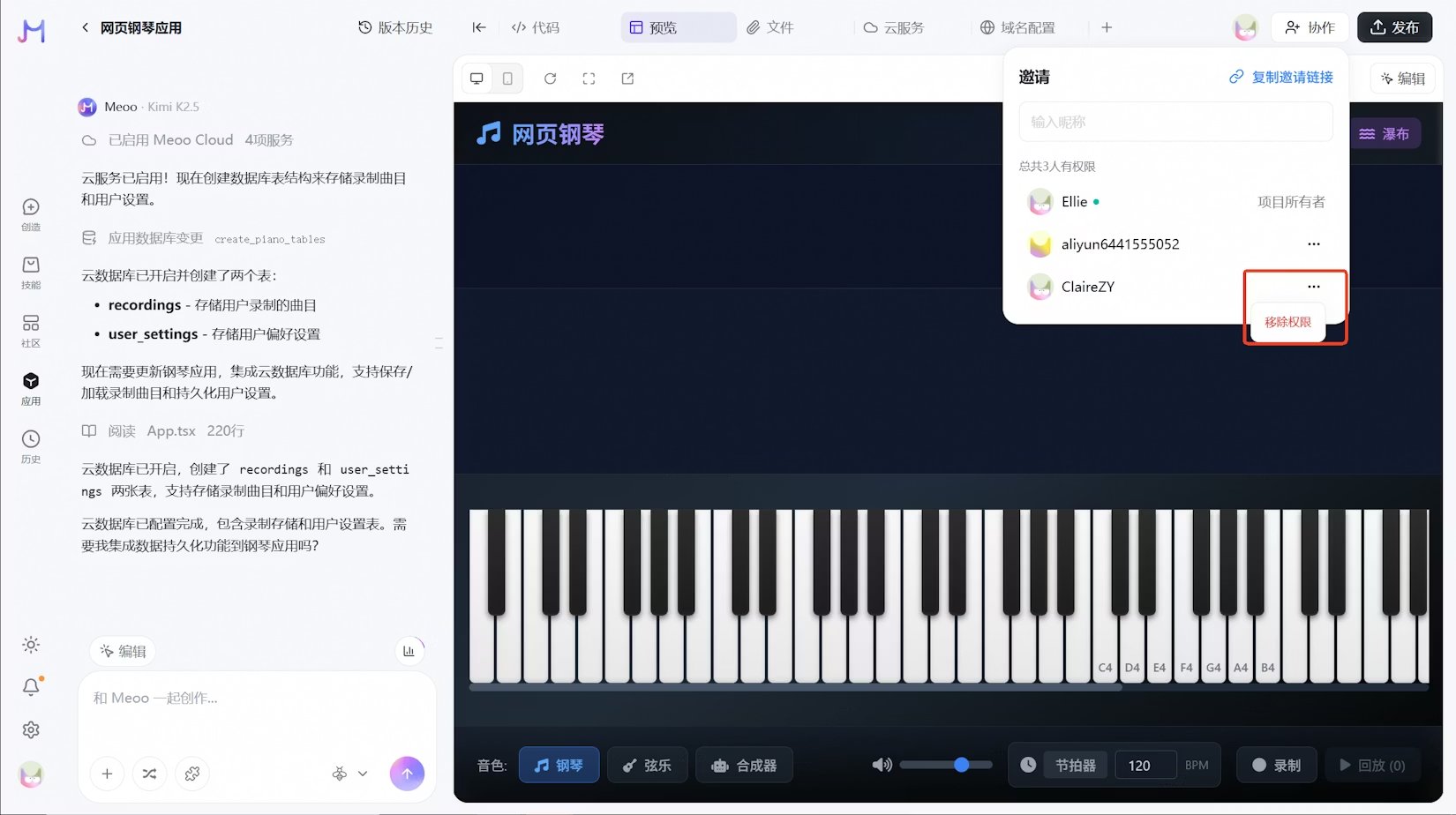
2. 点击 **新增成员**，即可完成协作者添加。
   <Frame>
     <img src="https://mintcdn.com/alibaba-b47c397f/gtdh1P8HyRzTFXYK/images/7eaa463f4323e8ed8d31d7ff739ab248.png?fit=max&auto=format&n=gtdh1P8HyRzTFXYK&q=85&s=8648dd3d966722fda7ec40eed0eca537" alt="7eaa463f4323e8ed8d31d7ff739ab248" width="1650" height="924" data-path="images/7eaa463f4323e8ed8d31d7ff739ab248.png" />
   </Frame>
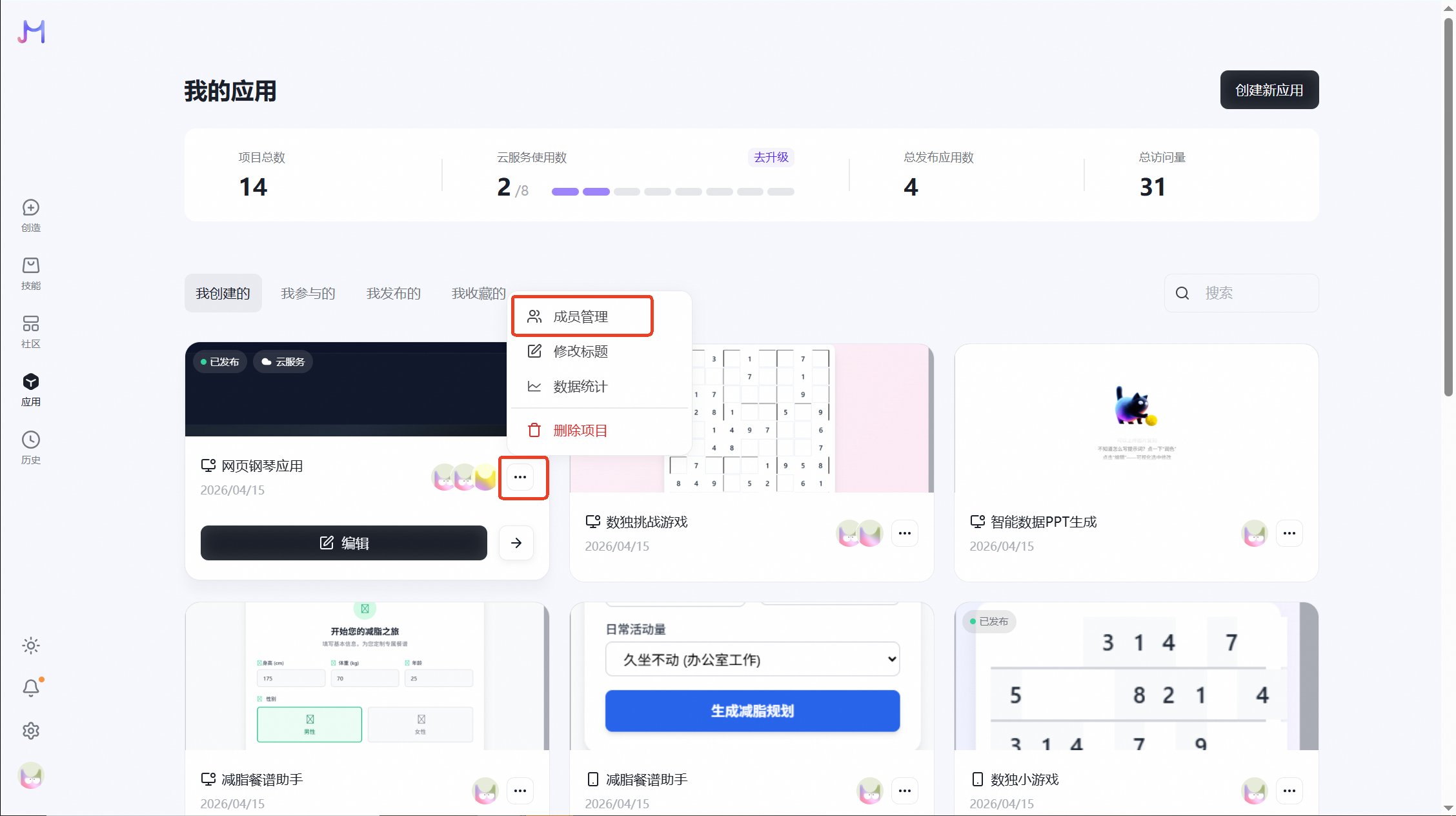
3. 点击 **协作** 中的 **...** 可**移除权限**。
   <Frame>
     <img src="https://mintcdn.com/alibaba-b47c397f/gtdh1P8HyRzTFXYK/images/7c6f412203589043d48361055d141801.png?fit=max&auto=format&n=gtdh1P8HyRzTFXYK&q=85&s=7c017b18cb47d1a73ab6caaff3503893" alt="7c6f412203589043d48361055d141801" width="1650" height="924" data-path="images/7c6f412203589043d48361055d141801.png" />
   </Frame>

<Note>
  除在项目创作页面添加协作者，还可以在应用中对项目进行成员管理

  <Frame>
    <img src="https://mintcdn.com/alibaba-b47c397f/gtdh1P8HyRzTFXYK/images/2fda93ba723296aa87db6565271ad967.png?fit=max&auto=format&n=gtdh1P8HyRzTFXYK&q=85&s=90a6c7104e6887ee3b3ec66b6d871f20" alt="2fda93ba723296aa87db6565271ad967" width="2256" height="1264" data-path="images/2fda93ba723296aa87db6565271ad967.png" />
  </Frame>
</Note>